
If your internet bill has increased over time, these steps can help you lower your monthly costs without sacrificing the speed you need. Whether you’re on a tight budget, managing a busy household, or tired of surprise rate hikes, there are practical changes you can make right now to lower your monthly internet bill. We’ll walk through options like buying your own equipment, choosing the speed you need (not what the provider upsells), using discounts and assistance programs, and negotiating with your provider so you’re not overpaying for everyday online use.
Key Takeaways: Lowering Your Monthly Internet Bill
- By purchasing your own compatible equipment, you can eliminate recurring monthly rental fees from most internet providers and often find devices that offer better performance.
- Consider the number of devices and bandwidth-intensive activities, such as 4K streaming and online gaming, when selecting. You can avoid overpaying for speeds you don't need.
- When upgrading equipment, be aware that old modems and routers can bottleneck your connection. Upgrading to a newer device can improve performance and reliability while still being more cost-effective in the long run than renting.
- Government assistance programs, such as the Lifeline program, can provide significant monthly discounts on internet service for eligible low-income households.
- After promotional rates expire, long-term internet customers should research competitor prices and call their current provider retention department to negotiate a new deal or be prepared to switch.
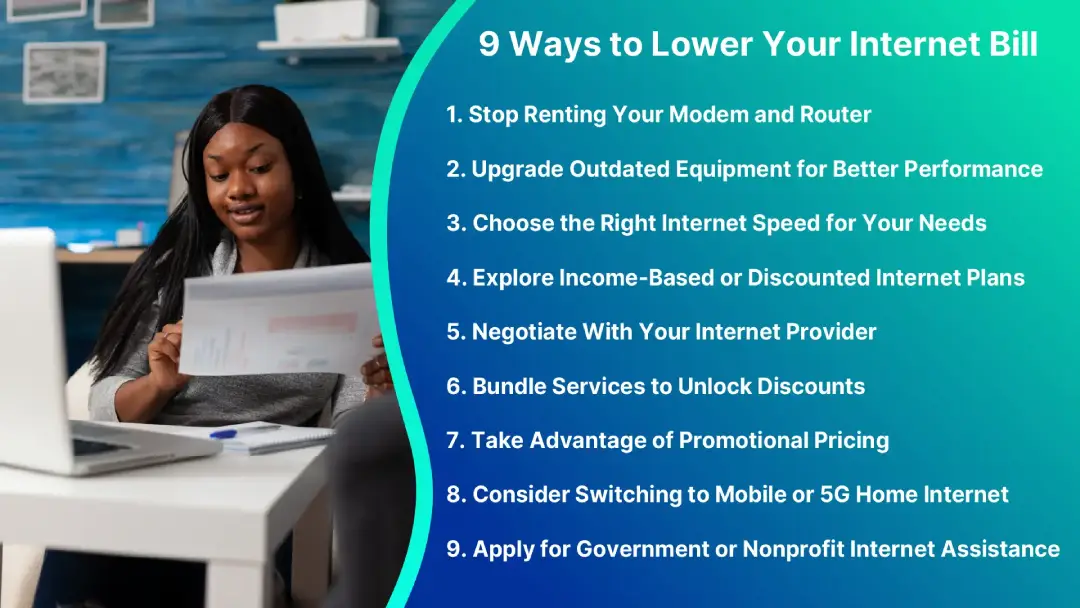
1. Stop Renting Your Modem and Router
Equipment rental fees typically cost $5-$20 per month, so over a two-year contract they can add up to hundreds of dollars.
The best alternative is to buy your own modem and router for around $100, potentially saving hundreds in the long run. Buy the best quality equipment you can afford, and be sure that it is compatible with your provider’s internet service.
The most popular modem and router brands include NETGEAR Nighthawk and ARRIS SURFboard. Choosing between a combo unit and separate devices involves weighing convenience against performance.
Focus on modern equipment with the following standards:
- Modem: Choose a DOCSIS 3.1 or newer cable internet modem, which supports multi-gigabit speeds and is backward-compatible with older standards.
- Router: Select a Wi-Fi 6, 6E, or 7 router for enhanced capacity and lower latency.
2. Upgrade Outdated Equipment for Better Performance
Outdated modems and routers often act as bottlenecks, significantly slowing down modern, high-speed connections, especially in multi-user households. Upgrading obsolete equipment can dramatically improve performance.
- If you rent: Contact your ISP and request a free upgrade to their latest hardware. They have a vested interest in keeping their network efficient, so this exchange usually costs nothing.
- If you own: Invest in current-generation equipment. Though it comes with an upfront cost, this purchase dramatically improves your internet experience and saves you money over time compared to renting.
Signs it's time to upgrade outdated modems and routers include:
- Slow and inconsistent speeds
- Frequent disconnections
- Streaming and gaming problems
- Poor Wi-Fi coverage
- Problems when multiple devices are connected
3. Choose the Right Internet Speed for Your Needs
You might be overpaying for speeds you don't use. You will want to take a closer look at your exact needs to determine whether you are paying too much for a connection that's much higher quality than what's truly needed.
SpeedBest For10 - 15 MbpsEmail, social media, and light web surfing15 - 25 MbpsLight video streaming25 - 50+ MbpsHD streaming, video calls, and large data transfers ISPs often push 100+ Mbps plans, but most users can save money with a slower connection. If you're unsure, try a lower tier; you can always upgrade later if needed.
Visit TestMySpeed to check your current speed.
4. Explore Income-Based or Discounted Internet Plans
Major ISPs, including Comcast (Xfinity), Spectrum, AT&T, and Cox, offer discounted internet plans to eligible low-income households. Reduced plans ensure connectivity for as little as $10 a month.
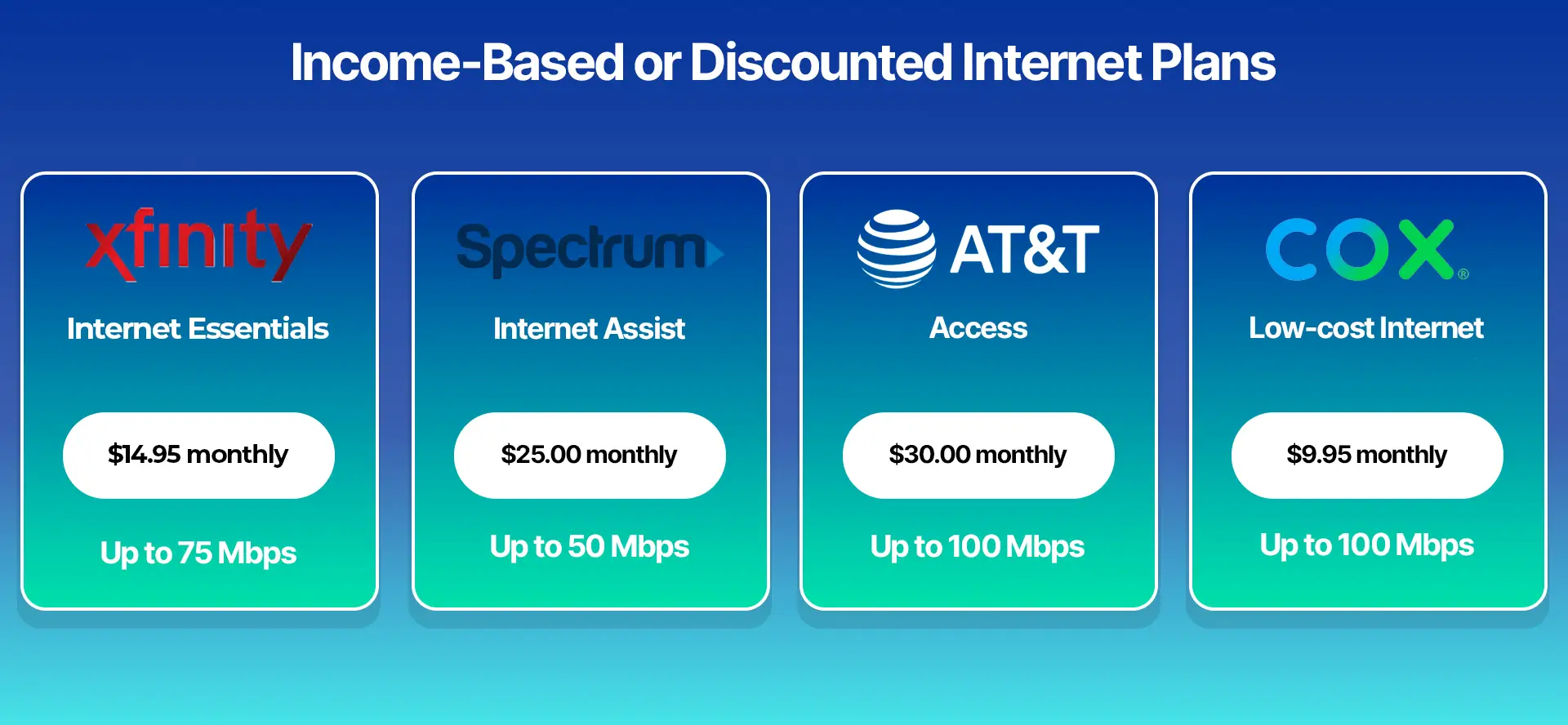
Here are examples of low-cost plans (prices and speeds may vary based on location and eligibility):
ProviderPlan NameTypical CostTypical SpeedXfinityInternet Essentials$14.95 monthlyUp to 75 MbpsSpectrumInternet Assist$25.00 monthlyUp to 50 MbpsAT&TAccess$30.00 monthlyUp to 100 MbpsCoxLow-cost Internet$9.95 monthlyUp to 100 Mbps You can use the FCC National Broadband Map to check internet service availability using your address or zip code.
5. Negotiate With Your Internet Provider
You can negotiate with your internet provider regardless of how they are advertised. You can get a better deal simply by calling your ISP and asserting yourself.
- Let them know why you're unhappy: Call your provider and express dissatisfaction with the quality or cost.
- Go in with a plan: Don't accept the first offer. Know what you want and stand firm.
- Escalate if necessary: Request to speak with supervisors if representatives won't meet your demands.
- Use your leverage: Threaten to switch to a competitor. ISPs often present new deals and discounts once they realize they might lose your business.
While you won't get everything you ask for, negotiating can lead to real savings.
6. Bundle Services to Unlock Discounts
One way to save money is to bundle your internet with other services, such as a home phone or cable TV.
While it may increase your bill, remember you are paying for multiple services. Discounts applied to individual services can significantly increase the overall value, provided you actually use or need those extra services.
Bundling usually isn’t a good option if you are a "cord-cutter" who only wants internet access.
When you bundle, remember to negotiate for the best value when purchasing multiple services. Use leverage to secure better discounts and maximize your value, sometimes even getting freebies like premium channels.
7. Take Advantage of Promotional Pricing
Internet providers use promotional pricing to attract new customers, offering low rates for a set period (typically 1–2 years).
Once the promotion ends, prices increase significantly, effectively punishing loyal customers who aren't eligible for those deals.
You can take advantage of this by becoming a "rate-chaser":
- Switch providers frequently: Sign up for a competitor's promotion just before your current rate expires.
- Negotiate: Often, simply threatening to cancel will prompt your current provider to offer the promotional rate again to keep your business.
You will need to stay organized and track your contract dates and be willing to switch, which may result in brief service gaps of a day or two. However, the potential for substantial long-term savings often outweighs the minor inconvenience.
8. Consider Switching to Mobile or 5G Home Internet
Switching from home internet to an unlimited mobile data plan and using a mobile hotspot can save money for those who don't use the internet much. However, this is not a suitable solution for everyone, as it often involves significant trade-offs in speed and reliability.
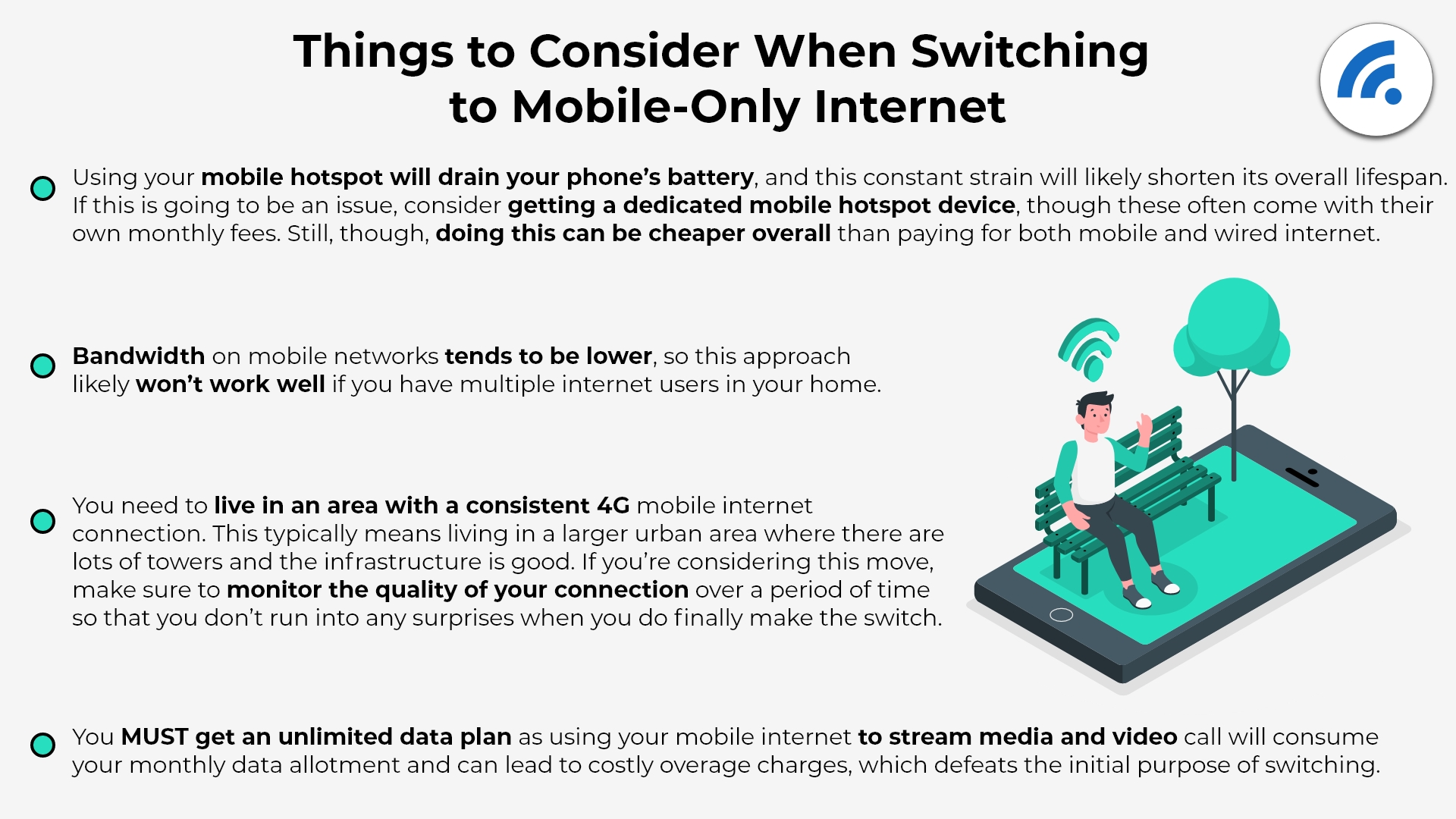
Factors to consider before switching
- Data caps: "Unlimited" mobile plans often have a threshold for hotspot data (e.g., 20–25 GB) after which speeds are severely throttled.
- Performance: Mobile hotspot speeds are typically much slower and less reliable than a wired connection, especially when multiple devices are connected.
- Dependence: Your home internet is only active when your phone is at home, charged, and within range, which can disrupt a home with multiple users.
- Battery life: Using a phone as a hotspot will continuously drain the battery and shorten its lifespan.
Wired internet is generally more cost-effective for heavy in-home use. At the same time, mobile data is better for occasional on-the-go use but can quickly become expensive for high-bandwidth activities.
When using a mobile hotspot, watch out for data limits that can lead to overage charges or speed throttling. Check for signal reliability issues caused by poor cellular coverage, network congestion, or physical obstructions.
9. Apply for Government or Nonprofit Internet Assistance
You can find several programs that will assist you with internet access if you continue to struggle to find an affordable option.
- Lifeline Program: A federal program that provides eligible low-income households with a $9.25 monthly discount on internet or phone service. You must meet specific income-based requirements to qualify.
- EveryoneOn: EveryoneOn offers a tool that helps you locate available deals and discounts in your area.
*Programs, offerings, discounts, and prices are subject to change.
Small Steps That Make a Big Difference
Remember to review your plan annually. Providers often offer promotional rates that expire, leading to price increases.
An annual check-up lets you compare your usage against available plans and competitor offers, and identify unnecessary equipment fees.
Knowing what is on your bill gives you leverage to negotiate a better rate with your current provider or switch to a better deal, ensuring you consistently pay a fair price for the service you receive.
FAQ
What's the easiest way to lower my internet bill?
The easiest ways to lower your internet bill are to buy your own modem and router instead of renting, and to negotiate with your current provider. Buying your own equipment avoids monthly rental fees, while a simple phone call to your ISP can often result in a lower rate, mainly if you've found a better offer elsewhere.
Can I negotiate my internet bill with my provider?
Yes, you can negotiate your internet bill, and many providers offer discounts to keep customers. Research competitor offers, understand your current plan, and speak with your ISP.
Are there government programs that help lower internet costs?
Yes, the government offers programs like Lifeline to help lower internet costs for eligible low-income households. You can qualify for these programs by meeting income requirements or by participating in other federal assistance programs.
How do I know if I'm paying for more speed than I need?
To find out if you're paying for more speed than you need, check your bill to see the speed you're paying for, then run a direct-to-router speed test to see your actual performance.