

Satellite internet reaches where cable, fiber, and cellular towers don't. If you're reading this because wired internet isn't available at your address, or what's available isn't fast enough, satellite is almost certainly an option, and the technology has improved dramatically in the last several years.
This guide covers how to find what's available at your address, what the differences between providers mean for everyday use, what to expect from pricing and hardware, and which questions to ask before you commit.
Key Takeaways: Satellite Internet in 2026
- Satellite internet is available almost everywhere in the U.S. Whether you're in a rural county with no cable or a remote property with no other connectivity options, at least one satellite provider can reach you.
- The type of satellite technology determines how well it performs for interactive use. Low-Earth orbit (LEO) satellites like Starlink deliver latency in the 25–60ms range — similar to cable, and low enough for video calls and gaming. Geostationary (GEO) satellites like HughesNet and Viasat orbit much higher, producing 600ms+ latency that makes real-time applications impractical.
- Hardware costs vary significantly. Starlink requires a $249–$349 upfront equipment purchase. HughesNet and Viasat typically offer low or no upfront equipment costs with professional installation, with equipment fees built into monthly pricing.
- Amazon Leo is coming for residential customers but isn't widely available yet. The enterprise beta launched April 2026; consumer residential service is expected in late 2026. If you need service now, Starlink is the strongest LEO option available.
- Availability varies by address even within small areas. ISP coverage maps show general service regions, not individual address confirmation. Always verify at your specific address before ordering.
Satellite Internet Availability: Quick Answer
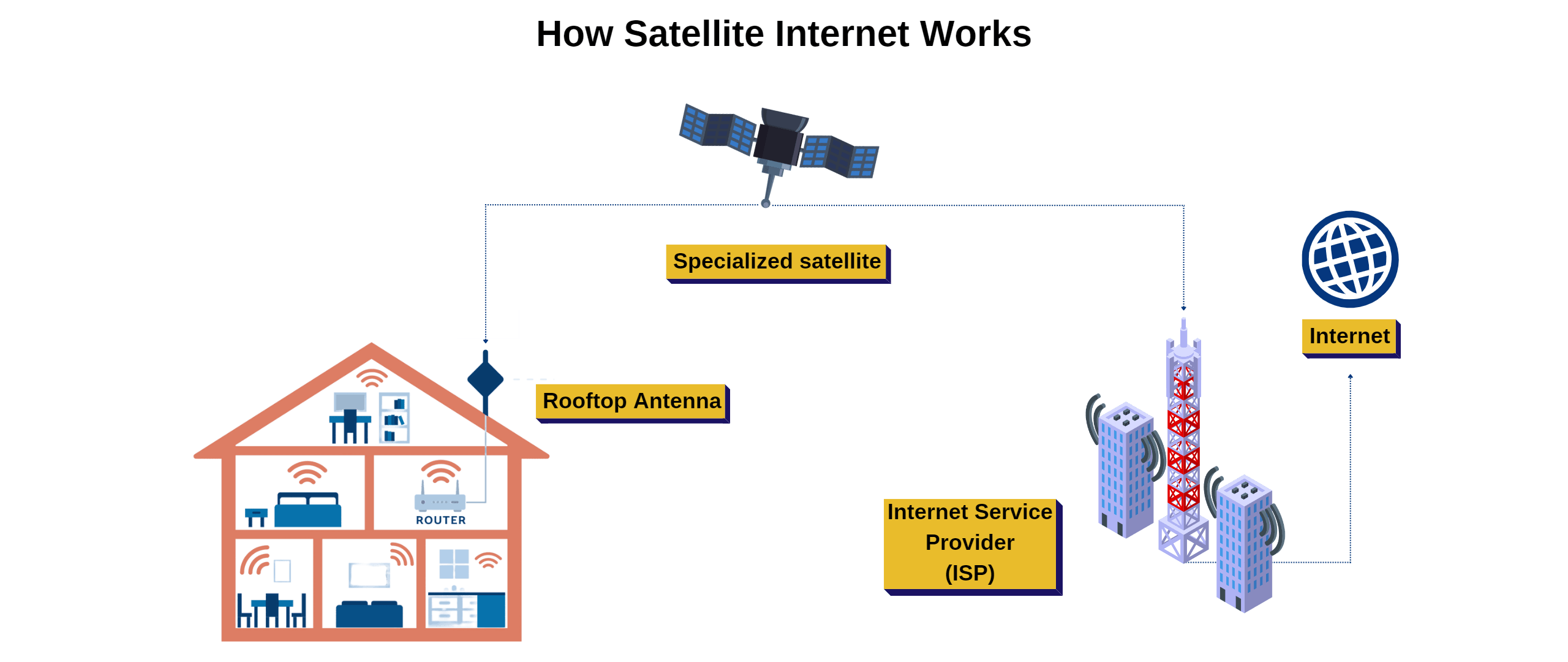
Satellite internet is available at virtually every U.S. address. The technology works anywhere with a clear view of the sky — no cables required, no fiber infrastructure needed, no cell tower proximity required. The meaningful question isn't whether satellite is available; it's which satellite providers serve your address and which type of service fits your use case. Starlink and HughesNet are the most widely available options for residential customers today. Viasat serves most of the country as well. Amazon Leo (formerly Project Kuiper) is in early commercial deployment and consumer residential availability is expected in late 2026. Your specific plan options and pricing vary by location. Search your address at BroadbandSearch to see what's currently offered at your ZIP code.
 Which Satellite Internet Providers Are Available in My ZIP Code?
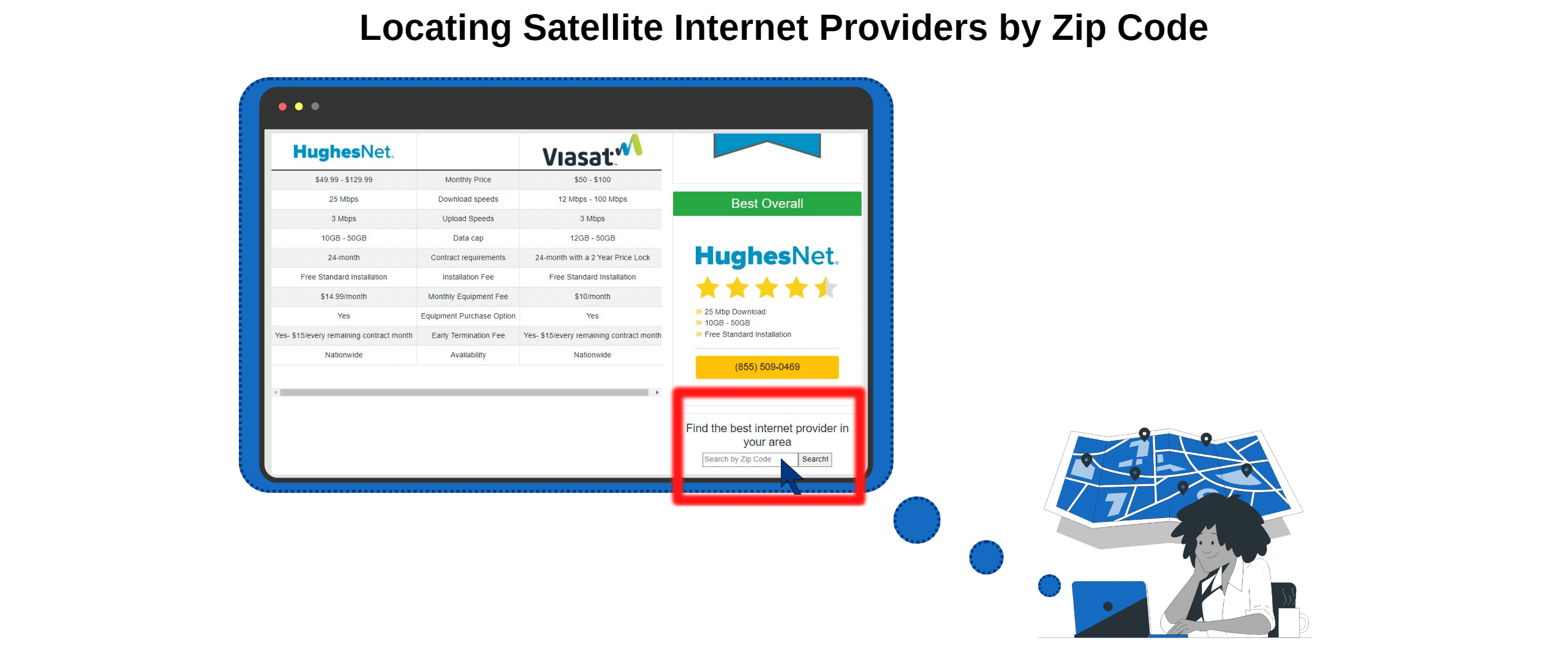
Finding what's available at your specific address is step one, and it takes about 30 seconds. Enter your address at BroadbandSearch to see every provider available at your location, including satellite options, with current plan details and pricing.
Satellite internet, by its nature, is available almost anywhere with a clear view of the sky. The providers below cover most U.S. addresses, with some differences in plan options and pricing by region.
Starlink (SpaceX)
Starlink is a leading residential LEO satellite internet provider in the U.S., operating a large and growing constellation of satellites in low Earth orbit. Coverage is available across all 50 states, and most U.S. addresses can order service without joining a waitlist. Activation typically occurs within a few days of ordering. Plans range from $50/month for 100 Mbps to $120/month for 400+ Mbps, with a one-time hardware cost of $249–$349. No contracts. Performance is consistent enough for video calls, streaming, remote work, and casual gaming.
HughesNet
HughesNet uses geostationary satellites and offers coverage across the entire continental U.S., Alaska, and Puerto Rico. It's one of the longest-established satellite internet providers and is known for predictable monthly pricing with no upfront equipment costs (professional installation with leased equipment). Plans include a data threshold. You don't lose service after hitting it, but speeds reduce during congestion periods. HughesNet's 600ms+ latency makes it less suitable for video calls and gaming, but adequate for general browsing, email, and lower-intensity use. Plans typically run $50–$100/month with promotional pricing for new subscribers.
Viasat
Viasat is a geostationary satellite provider with broad U.S. coverage and unlimited data plans on higher tiers. It delivers faster download speeds than HughesNet on comparable plans, up to 150 Mbps in some areas, but maintains the high latency inherent to GEO satellites. Viasat plans range from $75 to $200/month depending on speed tier and region, with professional installation and leased equipment typically included. Best for rural households that need higher download speeds but don't require low latency for gaming or video calls.
Amazon Leo (formerly Project Kuiper)
Amazon Leo completed its enterprise commercial beta launch in April 2026 and is expected to open residential consumer service in late 2026. If you're researching satellite options now, Amazon Leo is not yet available for residential customers in most areas. Check amazon.com/leo for the current waitlist and availability status in your region when considering future options. The service is expected to compete directly with Starlink on pricing and performance when it launches broadly.
Which Satellite Internet Service Should I Choose?
The most important difference between satellite providers isn't brand or price. It's the orbital altitude of their satellites. That determines the latency, which determines whether the service works for real-time activities like video calls and gaming.
Feature | LEO Satellite (Starlink) | GEO Satellite (HughesNet, Viasat) |
Satellite altitude | ~340–360 miles | ~22,000 miles |
Typical latency (ping) | 25–60ms | 600ms+ |
Typical download speeds | 50–400 Mbps | 25–150 Mbps |
Typical upload speeds | 5–40 Mbps | 3–10 Mbps |
Good for video calls? | Yes | No — delay makes conversation timing awkward |
Casual and mid-level, yes | Not suitable for real-time gameplay | |
Good for streaming? | Yes — all qualities including 4K | Yes for HD and lower; buffer time longer |
No hard cap, although speed may be throttled for network management | Varies by plan; hard caps on some tiers | |
Equipment cost | $249–$349 upfront (Starlink) | Low or no upfront; equipment leased |
Contract required? | No | Varies by provider and plan |
Orbital altitude figures sourced from NASA and FCC satellite licensing records.
The latency difference is physics, not marketing. A signal traveling 22,000 miles to a GEO satellite and back takes approximately 600ms regardless of download speed. At 340 miles, Starlink's round trip takes 25–60ms. This is why Starlink works for video calls and gaming while HughesNet and Viasat do not — even at comparable download speeds.
Who should choose LEO (Starlink):
- Households with frequent video calls for work or school
- Anyone gaming online, even casually
- Households streaming multiple simultaneous 4K streams
- Remote workers with real-time collaboration needs
- Digital nomads and travelers (Roam plan available)
Who may be better served by GEO (HughesNet or Viasat):
- Households on a strict monthly budget where the lower or no upfront equipment cost matters
- Households with light internet needs — basic email, occasional browsing, standard definition video
- Areas where Starlink availability is constrained or pricing is elevated due to demand surcharges
Satellite Internet Data Policies: What to Know Before You Sign Up
Data policies vary significantly across satellite providers and plan tiers, and they directly affect everyday usability, particularly for households that stream frequently or work from home.
Starlink operates on a traffic management model rather than a hard data cap. All residential plans are marketed as unlimited. During periods of network congestion, users who have consumed the most data may experience temporarily reduced speeds. On the standard Residential plan, this management is relatively light in most markets. The Residential Max plan ($120/mo) includes priority data, meaning those subscribers are deprioritized last during congestion. The Roam plan includes 100 GB of full-speed data per month, after which speeds are reduced during busy periods.
HughesNet uses a threshold model. Each plan includes a monthly data allotment (ranging from 15 GB to 100 GB+ depending on tier). After the threshold is reached, speeds are reduced during network peak hours (typically 8 AM to 2 AM). During off-peak hours (2 AM to 8 AM), speeds are not reduced regardless of data use. Service is never cut off entirely. For households that need high-volume use, HughesNet's lower-tier plans will feel restrictive quickly.
Viasat offers unlimited data on higher-tier plans, but speed during congestion periods is not guaranteed. On lower-tier plans, speeds may be reduced once a monthly threshold is exceeded. Higher-tier Viasat plans provide more consistent performance but at significantly higher monthly costs ($150–$200/mo in many markets).
Practical guidance: A household that streams video daily, uses video conferencing for work, and has multiple connected devices will use 200–500 GB per month under typical conditions. Starlink's standard plan handles this comfortably. HughesNet's entry-level plans do not. Viasat's higher tiers handle it but at a higher monthly cost than Starlink.
How Much Does Satellite Internet Cost in 2026?
Satellite Internet Provider Comparison: Starlink, HughesNet, and Viasat
Feature | Starlink | HughesNet | Viasat |
Monthly price range | $50–$120/mo | $50–$100/mo | $75–$200/mo |
Equipment cost | $249–$349 (purchase) | $0 upfront (leased) | $0–$199 (leased) |
Installation | Self-install | Professional (included) | Professional (included) |
Contract required | No | Varies by plan | Varies by plan |
Early termination fee | None | Yes — pro-rated | Yes — pro-rated |
Latency | 25–60ms | 600ms+ | 600ms+ |
Download speeds | 50–400 Mbps | 25–100 Mbps | 25–150 Mbps |
Data policy | Unlimited with traffic management | Threshold-based; speeds reduced after cap | Unlimited on higher tiers; caps on lower tiers |
Prices reflect published rates as of early 2026. Promotional introductory rates may apply for new subscribers. Confirm current pricing at your address directly with each provider before signing up.
Additional Costs to Consider
- Starlink demand surcharges: In some high-traffic markets, Starlink charges an additional upfront fee (up to $250) at checkout. This varies by address.
- Optional mounting hardware: Volcano mounts, pipe adapters, and extended cable runs for Starlink add $30–$150 depending on your installation needs
- HughesNet/Viasat early termination fees: If you cancel before your contract term ends, most GEO providers charge a pro-rated fee. Confirm contract terms before signing.
Does Location Affect Satellite Internet Speed and Pricing?
Yes. Both, in different ways.
Speed variation by location:
Starlink's speeds depend on satellite density overhead and network congestion in your area. Regions where more Starlink subscribers are concentrated on the same satellite coverage area may see lower speeds during peak hours. Remote and low-density areas sometimes see better Starlink performance than densely populated rural areas because fewer users are competing for the same capacity. Starlink publishes speed estimates for your location during checkout.
For HughesNet and Viasat, GEO coverage means essentially every address in the continental U.S. receives the same satellite signal quality. Local variation in GEO speeds is less pronounced than with LEO.
Pricing variation by location:
Starlink pricing is address-specific. In high-demand areas, Starlink may charge a demand surcharge or limit plan options. Promotional pricing is only available in areas with excess network capacity. Viasat plan tiers and pricing vary significantly by region — a plan available and priced one way in the Southeast may not be offered the same way in the Pacific Northwest.
Physical obstructions matter:
Starlink requires a clear view of the sky above and around the dish to maintain connection to low-Earth orbit satellites as they move overhead. Trees, rooflines, hills, and buildings that block portions of the sky cause signal interruptions. The Starlink app includes an obstruction tool that maps your sky before you mount the dish. Run this check before ordering if you have significant tree cover or a complex roofline. HughesNet and Viasat dishes point in a fixed direction toward geostationary satellites (roughly south in the continental U.S.) and need only a clear view in that direction.
Finding the Right Satellite Service for Where You Live
The right satellite internet provider for your address depends on what you need to do online and what's available where you live. For households that need video calls, streaming, gaming, and remote work, Starlink is the clear recommendation in 2026. For households with limited budgets and basic usage needs, HughesNet and Viasat remain viable options with lower upfront costs.
The single most useful thing you can do before committing to any satellite provider is check your specific address. General coverage maps tell you what's in the region; address-specific searches tell you what's available to you, at what price, on what terms.
Find every satellite internet provider available at your address, along with any cable, fiber, or wireless options that may exist, before you decide.
FAQ
What satellite internet providers are available in my ZIP code?
Starlink, HughesNet, and Viasat are available across the vast majority of U.S. addresses, making satellite internet one of the most universally accessible broadband technologies. The easiest way to see exactly what is available at your address, including plan details, pricing, and current promotional offers, is to search your address at BroadbandSearch. This shows every provider reaching your location, not just satellite options.
How do I check satellite internet availability at my address?
Go to BroadbandSearch and enter your address. You'll see every provider and connection type available at your location, including satellite, fixed wireless, cable, and fiber where they exist. For provider-specific confirmation, you can also enter your address directly on Starlink.com, HughesNet.com, or Viasat.com to see plan options specific to your location. Coverage maps give a rough regional picture; address-specific checks give the accurate picture.
What is the best satellite internet in my area?
For most households that need usable internet for video calls, streaming, remote work, or gaming, Starlink is the strongest satellite option currently available. Its low-Earth orbit design delivers latency comparable to cable, speeds adequate for all common household activities, and no hard data caps. For households with very limited budgets or minimal usage needs, HughesNet offers lower upfront costs and predictable monthly pricing. Viasat offers faster download speeds than HughesNet at higher price points. The right choice depends on your usage needs and budget. Compare plan specifics for your address before deciding.
Can I work remotely with satellite internet?
With Starlink, yes, reliably for most remote work scenarios. Video calls, cloud applications, file transfers, and real-time collaboration all work with Starlink's 25–60ms latency and 5–40 Mbps upload speeds. With HughesNet or Viasat, remote work is more limited: non-real-time tasks like email, document editing, and file uploads work fine, but video calls are consistently difficult because the 600ms+ latency creates conversation delays. If remote work is a primary reason you need satellite, Starlink is the appropriate choice.
Does my location affect satellite internet speeds and pricing?
Yes to both. Starlink speeds vary by location based on satellite density overhead and local network capacity — areas with fewer subscribers typically see more consistent speeds. Starlink pricing also varies by address: demand surcharges of up to $250 apply in some markets, and promotional pricing is only available where excess network capacity exists. HughesNet and Viasat plans vary by region — what's available and what it costs differs based on where you live. Always verify pricing at your specific address rather than relying on general advertised rates.
Can I get satellite internet if I live in a remote or off-grid area?
Yes. Satellite internet is purpose-built for exactly this scenario. Starlink reaches any location with a clear view of the sky, from remote ranch properties to mountain cabins to off-grid homesteads. The only requirements are: a clear sky view for the dish, electrical power to run the router and dish (standard wall outlet or battery/solar for the Starlink Mini), and a way to mount or position the dish. For truly off-grid locations, the Starlink Mini runs on USB-C power and can operate from a battery pack or solar power setup. HughesNet and Viasat also reach remote locations with professional installation handling the dish mounting.
Why does satellite internet availability vary by ZIP code?
For Starlink, availability variations reflect network capacity at the local level — Starlink limits the number of subscribers per geographic area to maintain performance standards. An area at or near capacity may have limited plan options, higher pricing, or occasional waitlists. For HughesNet and Viasat, GEO satellite coverage is essentially uniform across the continental U.S., but plan options and pricing vary by region based on the provider's commercial decisions. The FCC broadband map at broadbandmap.fcc.gov shows reported coverage by address for all providers.
When will Amazon Leo be available for residential customers?
Amazon Leo (formerly Project Kuiper) launched its enterprise commercial beta in April 2026 and is expected to open residential consumer service in late 2026. As of early April 2026, the service is not available for residential customers to sign up. Amazon has a waitlist at amazon.com/leo where you can register interest for notification when residential service becomes available in your area. The consumer rollout timeline is still being established. Starlink remains the only broadly available LEO satellite option for residential customers in 2026.
Does weather affect satellite internet?
Yes, but the degree depends on the technology. Both LEO and GEO satellite signals can be temporarily degraded by heavy rain, snow, and severe storms, a phenomenon called rain fade, where precipitation absorbs or scatters the satellite signal. For Starlink, the effect is typically brief speed reduction rather than complete outage during ordinary rain or snow. The dish includes built-in heating to melt snow and ice accumulation. Severe storms can cause brief interruptions. For HughesNet and Viasat, rain fade can be more impactful because the signal must travel a much longer distance (22,000 miles vs. 340 miles), giving precipitation more opportunity to attenuate the signal along the path. In both cases, the internet typically resumes automatically when the weather clears.
Is LEO satellite internet available everywhere in the U.S.?
Starlink, the primary LEO satellite provider available to residential customers in 2026, offers coverage across all 50 U.S. states. However, "available" doesn't mean identical conditions everywhere. Network capacity limits mean some areas have constrained plan options or higher pricing. Physical obstructions, trees, hills, buildings, can affect signal quality at a specific address even if the area shows as covered. Running the obstruction check in the Starlink app before ordering confirms whether your specific installation location will receive adequate signal.
How do I compare satellite internet plans by ZIP code?
Enter your address at BroadbandSearch to see every provider and plan available at your location with current pricing side by side. For satellite specifically, compare: monthly price including equipment fees, typical speeds for your area, data policy (hard cap vs. unlimited vs. threshold-based), contract terms, and upfront hardware costs. The total two-year cost, calculated as monthly price multiplied by 24 plus hardware costs, gives the most accurate comparison when two plans have different upfront and monthly cost structures.