
For most businesses, internet service isn't just a nice to have. It is how you swipe cards, send invoices, pull up customer records, run cloud tools, and stay connected is a critical factor to the success of many businesses.
That’s why picking an internet plan based on speed alone may not be enough to support your organization. A two-person office has very different needs than a team that’s remote-based, constantly on video calls, uploading large files, or supporting multiple locations.
Use this guide to better understand options and choose a business internet provider plan that supports your needs now and as your business grows.
Key Takeaways: Choosing a Business Internet Service
- Start with how you actually work: number of users, devices, and the apps and systems you rely on most.
- Upload speed matters more than most people think, especially for video calls, cloud backups, and sending files.
- 100 Mbps download and 20 Mbps upload is a good starting point for many modern teams, then scale up based on usage.
- Reliability is a feature: ask about SLAs, support response times, and backup options.
- Compare total cost, not just promo pricing: contracts, equipment, and installation fees will affect up-front costs as well as your monthly bill.
Understanding Business Internet Needs
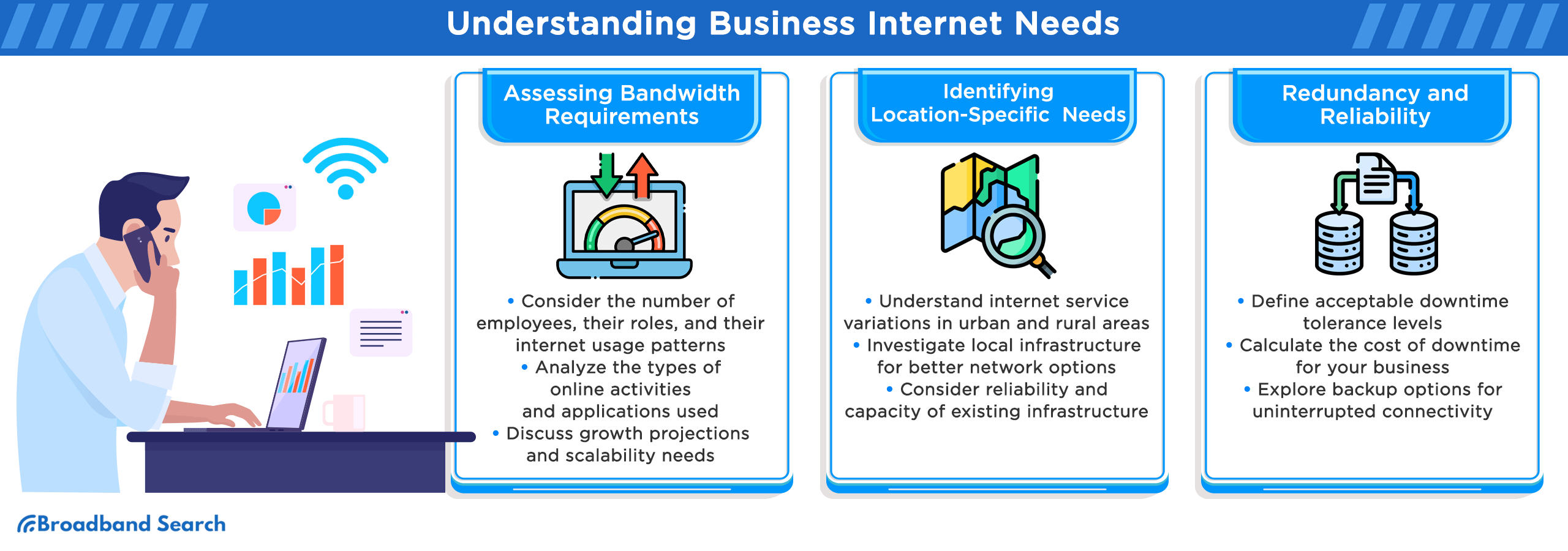
Before you start comparing providers, be clear on what your business internet service needs are to save money and frustration down the road. Here are three questions to home in on what your organization needs:
- How many people and devices are online at once? Count staff, guest Wi-Fi, tablets, TVs, POS devices, printers, and smart devices.
- What are your critical tools? Think POS, VoIP phones, Teams or Zoom, cloud storage, remote desktop, security cameras.
- What happens if the internet goes out for an hour? For some, it’s a minor annoyance. For others, it halts revenue and negatively affects customer experience.
Compare Connection Types for Business
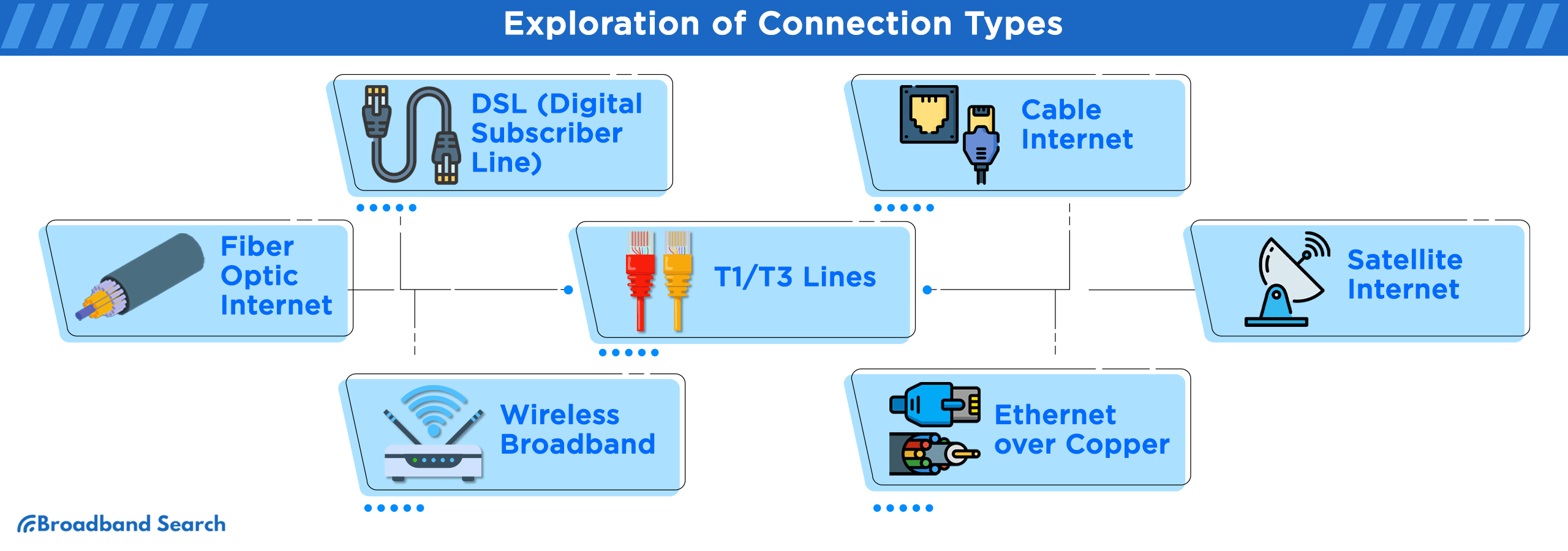
The internet connection type affects speed, reliability, latency, and cost. If you have multiple connection types available to you, use this table as you compare your options:
Connection Type | Best For | Pros | Cons |
Fiber | Growing teams, heavy cloud use, many users | High speeds, strong upload, low latency | Not available everywhere; installation can take longer |
Cable | Many small to mid-size businesses | Strong download, widely available | Upload can be lower; performance may vary during peak times |
5G Internet | Small offices, pop-up locations, quick setup, backup internet | Fast setup, solid speeds in strong-coverage areas, flexible (often no construction) | Availability varies by address; speeds can fluctuate with signal and network congestion; some plans may deprioritize during peak times; CGNAT can limit hosting and port forwarding |
Fixed Wireless | Rural areas, quick installs, backup links | Fast deployment; good coverage in some regions | Line-of-sight and signal quality can vary |
DSL | Basic needs where options are limited | Wide legacy availability | Slower speeds; performance depends on distance and infrastructure |
Satellite (GEO / LEO) | Remote locations with few alternatives | Works where wired options do not | GEO can have high latency; weather and obstructions can affect performance |
Dedicated Internet Access (DIA) | Mission-critical operations | Dedicated bandwidth, stronger SLA options | Higher cost; best when downtime is expensive |
Satellite Internet Considerations
If satellite internet is the only service available to you, know that you still have options as there are two types: GEO and LEO satellite systems.
Traditional geostationary satellite (GEO) has slower download speeds (up to 100 Mbps) and higher latency (500–600 ms), which can feel sluggish for real-time work like video calls or VoIP. But it has two upsides: lower cost and wider availability.
Newer low Earth orbit (LEO) systems offer faster internet and lower latency, reaching up to 200 Mbps download speeds and 20-30 ms average latency. Its availability is limited compared to GEO satellite internet, but its performance comes at higher monthly costs.
Speed, Bandwidth, And Upload Requirements
Speed gets all the attention, but what you really want is reliable and stable performance to support your teams and business operations. Before we get into speed guidelines and recommendations, let’s break down internet speed.
- Download speed affects how quickly you receive data (websites, streaming, downloads).
- Upload speed affects how quickly you send data (video calls, cloud backups, file uploads, camera feeds).
- Bandwidth is the “capacity” your team shares. Higher bandwidth is crucial for larger organizations.
Business Internet Speed Baseline
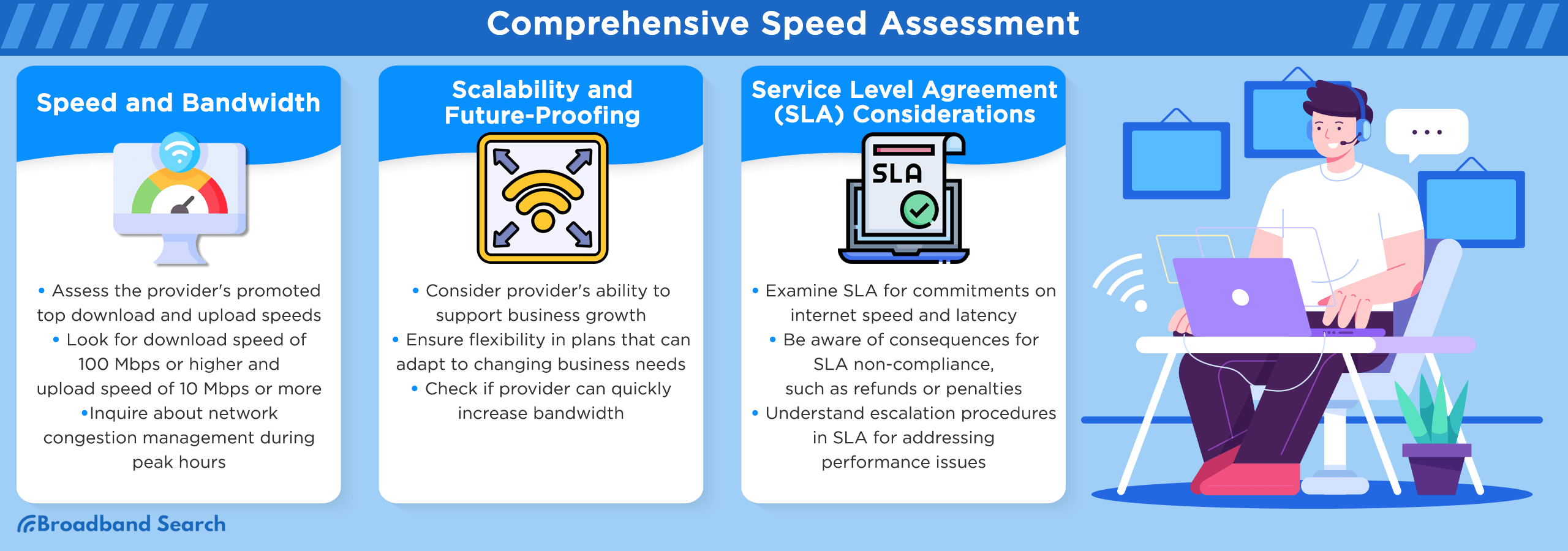
Use 100 Mbps download and 20 Mbps upload as your baseline speed, then scale up based on the number of users and operational needs. The more complex your needs are, the more speed and bandwidth you’ll need.
Upload Speed Is Often the Bottleneck
When you’re browsing internet plans, the speed advertised is the download speed. That’s because most of what we do on the internet involves getting data to our devices. But upload speed is just as important in a business environment. Faster upload speeds make for smoother video conferencing, file uploads, and cloud syncs. Fiber internet is the clear winner here, since it features equal download speeds and upload speeds, also called symmetrical speeds.
Reliability, Uptime, And SLAs
If internet outages or downtime costs your business revenue, then reliability is crucial. Most business internet plans offer assurances and SLAs (Service Level Agreements) to keep you connected and your business running. An SLA may cover things like:
- uptime targets (for example, 99.9%)
- response and repair time expectations
- service credits if the provider misses the mark
When You Need An SLA
If you process payments online or in a store, use VoIP phones, have remote teams, operate multiple locations, or offer customer-facing Wi-Fi, then you should consider service with an SLA. Business internet is more expensive than residential internet for this reason. But paying more for stable internet is better than short- and long-term losses due to unreliable service.
Build A Backup Plan
Internet outages can happen at any time, and it's wise to assume that they will happen. For this reason, you may want to consider having backup service at least for critical tasks. Ask your internet provider (and your IT support, if you have it) about:
- dual-WAN router support (two connections at once)
- wireless failover options (cellular or 5G backup)
- typical restoration time for outages in your area
If your business is near construction projects, consider it an investment to have a backup internet connection (preferably wireless) until the project is complete. Internet service and power cables are frequently severed as crews dig to build foundations and install utility infrastructure.
Customer Support and Installation
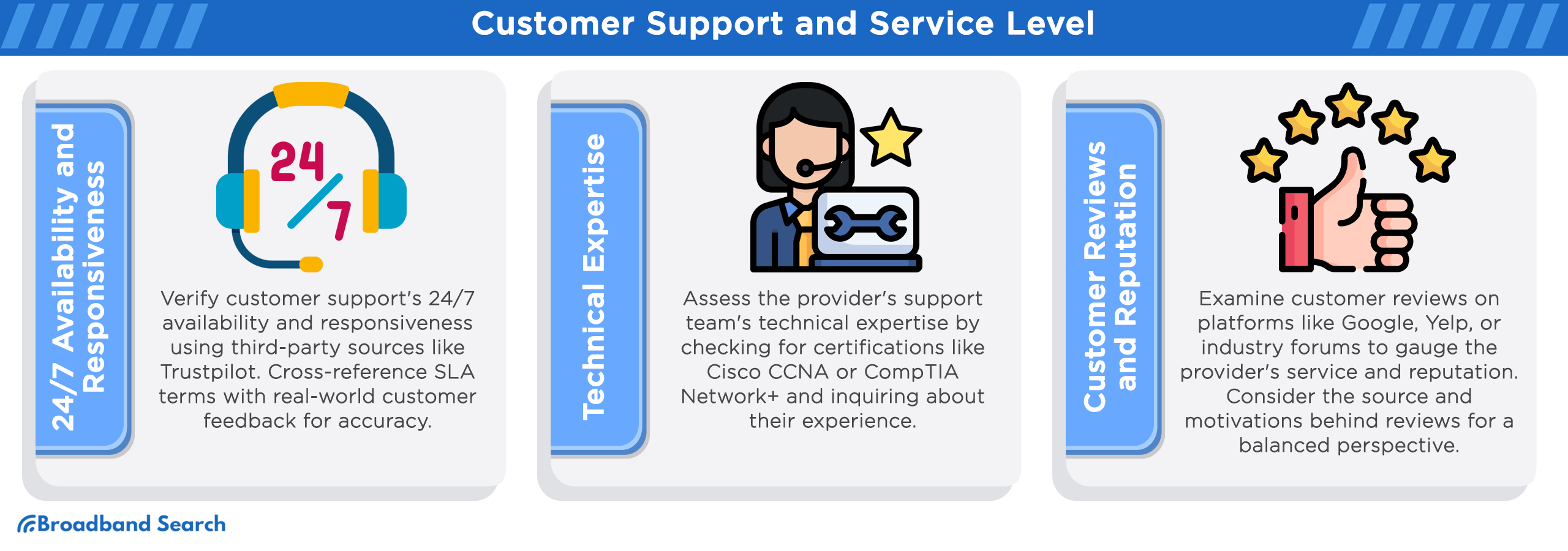
You run a business, so you understand customer support. As you’re shopping for internet providers, confirm whether a provider’s business products include elevated customer support. Having sufficient support can be the difference between a minor inconvenience and a full-blown disaster. Before you sign, confirm:
- installation timeline (especially if construction is needed)
- support hours and best ways to reach them
- whether there is a true business support path or general customer service
- escalation steps for outages
Security and Network Features to Consider
Some small businesses do not have IT and network resources that would normally provide support and security. If this is the case for you, consider adding some layer of internet security from your provider or third-party service. Ask your business internet provider about:
- business-grade equipment or managed Wi-Fi options (especially for guest networks)
- WPA3 support where available
- simple network separation (staff Wi-Fi vs guest Wi-Fi)
- add-on security services if you do not have internal IT
These are crucial if your business handles sensitive customer and financial information. At minimum, you want a stable, well-managed network with the right hardware and basic protections. If your provider doesn’t offer this, then consider hiring a vendor to establish a secure network for you.
Pricing, Fees, And Contract Terms
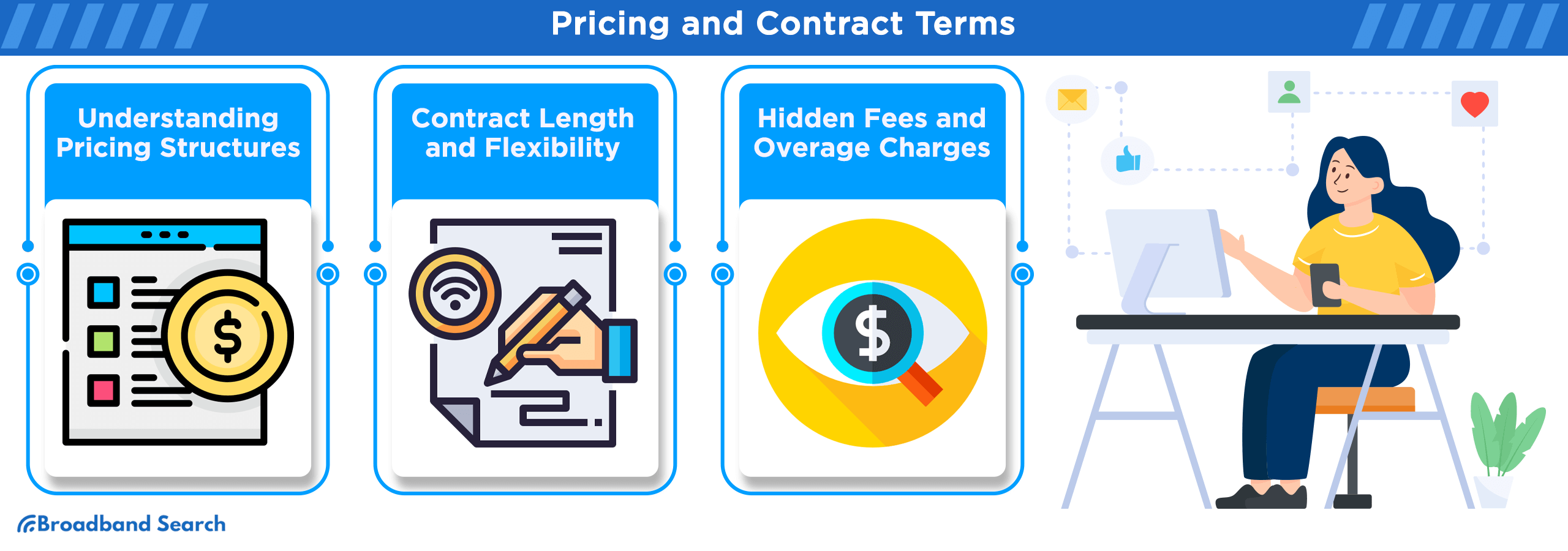
Business internet is going to be more expensive than residential. Depending on your needs, a residential plan may be what you need. Whichever you choose, use this checklist when comparing offers to get an idea of your monthly internet service expenses:
- promo price vs standard price (and when the change happens)
- installation fees and activation fees
- equipment fees (modem, router, managed Wi-Fi)
- contract length and early termination fees
- add-ons you might need (static IP, backup internet)
If the quote is vague, ask for a documented total monthly cost that includes equipment and any recurring fees. Then ask for a post-promotional period price quote.
Extra Features That Matter for Businesses
- Static IP: helpful for hosting, remote access, VPNs, and some security systems
- VoIP support: ask about QoS and how voice traffic is handled on the network
- Multi-location networking: worth exploring if you are expanding beyond one site
Provider Spotlight: EarthLink Business Internet
EarthLink Business Internet is a business-focused provider that can deliver high speeds (where available) and keeps things simple on data usage. EarthLink does not throttle speeds and includes unlimited data. Availability depends on your address.
EarthLink Business Internet is good for:
- Small businesses that want unlimited data and don’t want to worry about throttling or hitting a usage ceiling.
- Teams that need high-performance connectivity for cloud apps, uploads, and video work, especially where EarthLink can provide fiber or dedicated fiber options.
- Businesses that want a more “supported” setup, including cybersecurity-focused positioning and remote IT support as part of the broader offering.
- Locations that need an alternative to wired service, or a secondary connection, where fixed wireless is an option.
What To Verify Before You Buy
- What internet connection types are available at your address
- Upload speed and whether speeds are symmetrical
- Contract terms and pricing structure
- Equipment and support details
- SLA availability for your plan
Provider Spotlight: Spectrum Business Internet
Spectrum Business Internet is often on the shortlist for small businesses in Spectrum service areas. Operating over a hybrid fiber-cable network, Spectrum delivers speed and reliability businesses require. Treat it like any other ISP decision. Compare it against at least one or two alternatives and verify the details for your specific address.
Spectrum Business Internet is a Good Fit for:
- small businesses that want business-class support options
- offices that need steady performance for everyday work tools
- teams that want optional add-ons like backup connectivity or a static IP
What To Verify Before You Buy
- unlimited data
- dedicated vs shared internet
- speeds available at your exact service address, especially upload
- contract terms and promo details
- equipment included vs optional (router, managed Wi-Fi)
- support expectations and any SLA options
- upgrade path if your team grows
How To Compare Business ISPs Step by Step
Compare providers and plans to find the right solution for your business needs and budget. And cheaper isn’t always better. Sometimes, as the saying goes, you get what you pay for.
- Check availability at your address (and any secondary locations)
- Pick a target speed tier that fits your needs today
- Request 2–3 quotes for comparable tiers
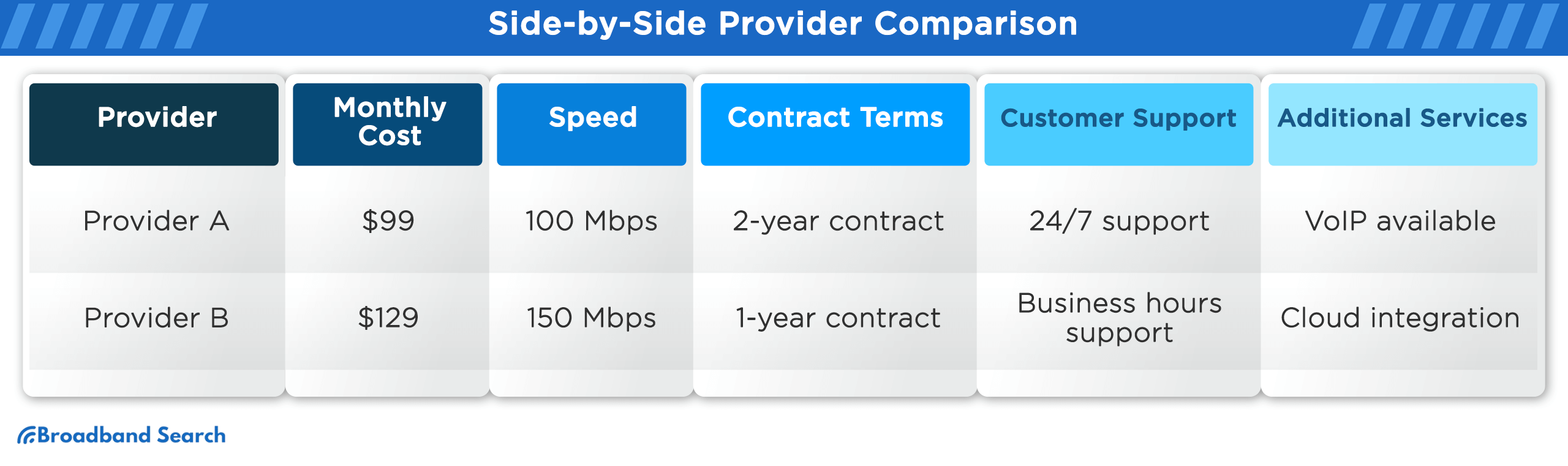
- Compare the full package (cost, contract, install time, support, SLA)
- Choose the best fit, then confirm the final terms in writing
Your Next Steps: Compare Providers and Choose with Confidence
Choosing the right internet provider for your business is a crucial decision that can significantly impact your operations. First, understand your business needs, including factors like speed, reliability, and additional services required. Be mindful of your budget for service, not only the monthly fees but also hidden costs and contract terms, to maintain financial stability. Explore the availability of extra services like static IPs, web hosting, and VoIP, as these can enhance your business toolkit.
If you’re ready to get started, enter your ZIP code in our provider search tool to find the best internet services in your area.
FAQ
What Is the Difference Between Business Internet and Residential Internet?
Business internet services may include different support paths, optional SLA terms, and add-ons like static IP addresses. Residential internet can work for very small operations, but it may not meet business expectations for uptime, responsiveness, or scalability.
How Much Upload Speed Does a Small Business Need?
It depends on what your team does online. If you use video meetings, cloud backups, or send large files daily, upload becomes a priority fast. Zoom’s bandwidth guidance is a good reference point when estimating how much capacity your calls may require.
What Factors Should I Consider When Choosing a Business Internet Provider?
Focus on connection type, real speed needs (especially upload), reliability and SLA options, support quality, and total cost. Then make sure the provider can scale with you as your business grows.
When Is Dedicated Internet Access Worth It?
DIA is often worth the cost when downtime or inconsistent performance is expensive. Businesses with critical operations, strict uptime needs, or high upload requirements are the most common fit.
Does Spectrum Business Internet Have Data Caps?
Spectrum’s disclosures state there are no data caps or capacity allowances for Spectrum Business Internet. It’s still smart to confirm the current terms during ordering, since plan details can vary by market and address.