
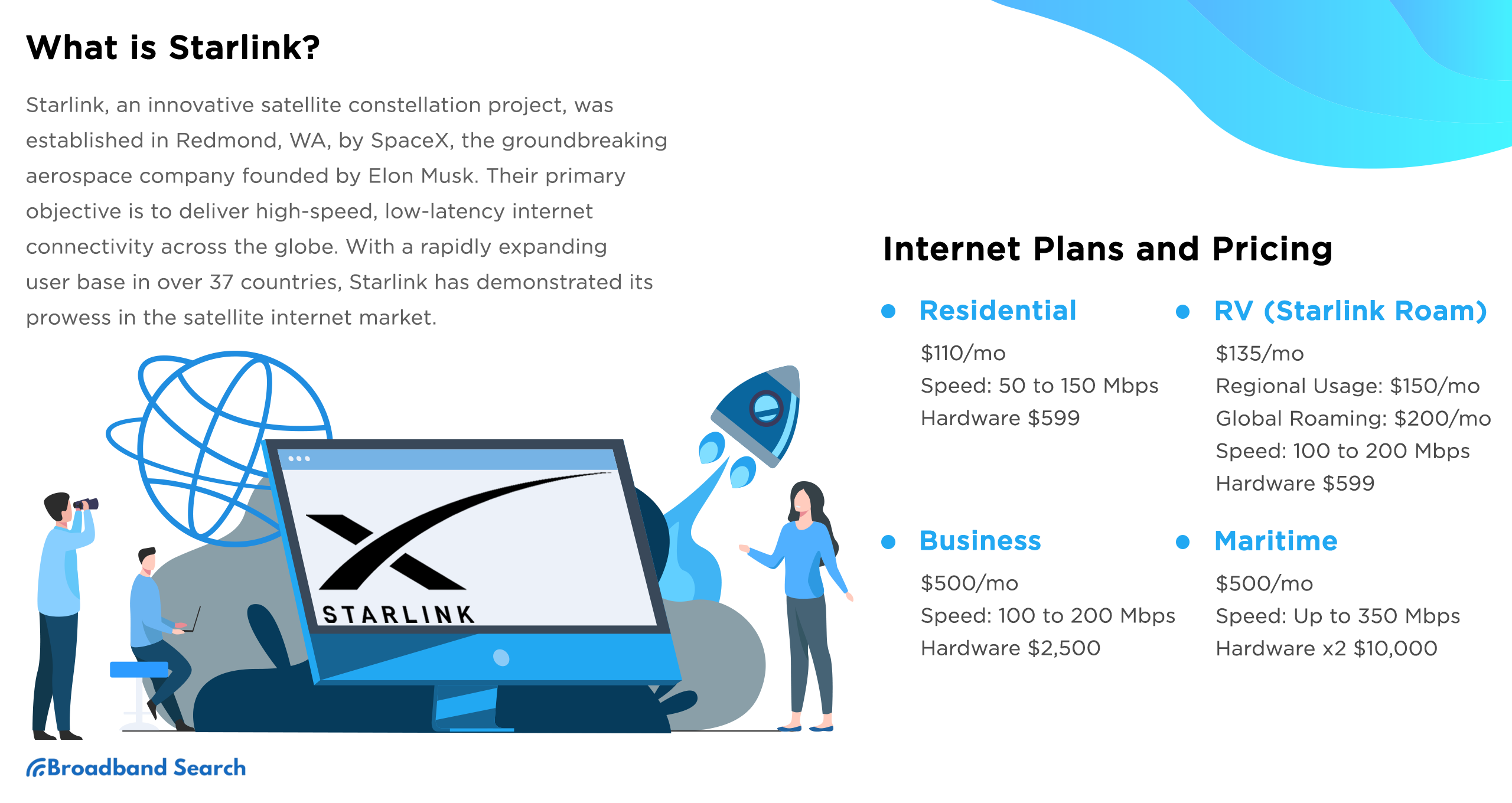
Satellite internet has had a reputation problem for decades: slow speeds, maddening latency, data caps that evaporated after a week of normal use. Starlink changed that. SpaceX's low-Earth orbit constellation has fundamentally rewritten what satellite internet can do, and in 2026 it's no longer just a last resort for rural households with no alternatives. It's a primary internet choice for millions of people, from remote ranches to RVs to boats 200 miles offshore.
This guide covers everything that matters before you buy: how the technology works, what the plans actually cost, how it performs for streaming and gaming, what it's like to use for remote work, how it compares to other options, and how to tell whether it's the right fit for your situation
Starlink Internet in 2026: Quick Answer
Starlink is a low-Earth orbit (LEO) satellite internet service operated by SpaceX. LEO means the satellites orbit approximately 340 miles above Earth, close enough to deliver latency of 25–60 milliseconds, compared to the 600ms+ latency of traditional satellite internet providers using geostationary satellites at 22,000 miles. In 2026, Starlink offers three residential tiers from $50 to $120 per month, plus specialized Roam and Maritime plans. Typical speeds range from 100–400 Mbps depending on plan tier. It is the strongest satellite internet option currently available where fiber or cable internet is not accessible. Hardware costs $249–$349 upfront depending on which kit you choose, and there are no long-term contracts.
Key Takeaways: Is Starlink Right for You?
- Best for rural and underserved households. Starlink is the most capable satellite internet option available and outperforms traditional GEO satellite providers on every practical metric. For households without reliable fiber or cable access, it's the strongest choice available.
- Speeds now rival entry-level cable. The Residential 200 Mbps plan handles 4K streaming, video calls, remote work, and casual gaming simultaneously. The Residential Max tier at 400+ Mbps matches many mid-tier cable plans.
- No long-term contracts. Every Starlink plan is month-to-month. You can pause, cancel, or switch plans at any time without early termination fees.
- Low latency for satellite. At 25–60ms, Starlink's latency is in the same range as cable internet — and dramatically lower than traditional satellite providers. This is what makes gaming and video calls practical on Starlink when they were essentially impossible on GEO satellite.
- Best avoided when fiber or cable is available. If reliable cable or fiber is accessible at your address, Starlink will almost certainly be more expensive and less consistent than those options. It's purpose-built for where wires don't reach.
- Hardware cost is significant. The upfront equipment cost of $249–$349 is the main barrier. Monthly pricing is competitive with or cheaper than rural alternatives, but the first-year total cost of ownership is higher than cable for comparable speeds.
What Is Starlink Internet and How Does It Work?
Starlink operates a large and growing constellation of small satellites in low-Earth orbit. The LEO positioning is what separates it from legacy satellite providers.
LEO vs. GEO satellite: Why it matters
Traditional satellite internet (HughesNet, Viasat) uses geostationary satellites that orbit at approximately 22,000 miles above Earth, positioned to remain fixed above the same point on the surface. At that distance, a signal takes approximately 600 milliseconds to complete a round trip. That delay makes video calls stilted, gaming impractical, and even basic browsing feel sluggish compared to cable.
Starlink satellites orbit at approximately 340 miles. That's 98% closer to Earth. The signal round trip takes 25–60ms. From a user experience standpoint, the difference is between a connection that feels like a delayed phone call from overseas and one that feels like normal internet.
The hardware:
Every Starlink kit includes a dish (the terminal that connects to satellites) and a router that distributes the connection over Wi-Fi in your home.
The Gen 3 dish is the standard residential unit. It's a flat rectangular panel that mounts to your roof, wall, or a pole using the included mount or optional accessories. The dish automatically tracks satellites as they pass overhead — no manual adjustment required. It includes snow-melt heating that activates automatically when ice accumulates on the dish surface.
The Gen 3 router supports Wi-Fi 6E, which uses the less-congested 6 GHz frequency band alongside the standard 2.4 GHz and 5 GHz bands. This reduces wireless interference in homes with many connected devices and improves speeds for devices that support Wi-Fi 6E.. This reduces wireless interference in homes with many connected devices and improves speeds for devices that support Wi-Fi 6E.. This reduces wireless interference in homes with many connected devices and improves speeds for devices that support Wi-Fi 6E.
The Starlink Mini is a compact all-in-one unit with a built-in router that fits in a backpack and runs on USB-C power, designed for portability rather than whole-home coverage.
Self-installation:
Setup requires no professional technician for most residential installations. The Starlink app guides you through the process and includes an obstruction detection tool. You hold your phone up and the camera maps the sky above your planned installation location, identifying any trees, rooflines, or structures that would block the dish's view of satellites. The app shows exactly how much sky clearance you have and flags potential problem areas before you mount anything. Once the dish is mounted and the router is connected, the app walks through activation. Most installations take under an hour.
What Starlink Plans and Products Are Available?
Starlink has expanded well beyond a single residential plan. Understanding the full product lineup helps you match the right service to your situation.
Residential Plans
Plan | Monthly Price | Max Download Speed | Priority Level | Best For |
Residential 100 Mbps | $50/mo | 100 Mbps | Standard | Single users, light streaming, basic remote work |
Residential 200 Mbps | $80/mo | 200 Mbps | Standard | Families, 4K streaming, video calls |
Residential Max | $120/mo | 400+ Mbps | Highest | Heavy users, gaming, large households |
Standard U.S. rates as of early 2026. Promotional pricing may be available in select markets. Equipment costs are separate. Verify current pricing at starlink.com for your specific address.
All residential plans include unlimited data. There is no hard monthly cap. During peak hours (6–11 PM), the network uses a traffic management system: Residential Max subscribers receive priority access to available bandwidth, while lower-tier subscribers may see temporary slowdowns during congested periods. This is prioritization during congestion, not a fixed throttle or a data cutoff.
The Residential Max plan includes additional perks in 2026: a free Router Mini for mesh Wi-Fi extension, eligibility for a free Starlink Mini dish rental, and a 50% discount on Roam plan subscriptions.
Equipment costs:
Hardware | Price | Notes |
Standard dish (Gen 3) kit | $349 | Includes dish, Gen 3 router, mount, and cables |
Starlink Mini | $249 | Compact portable unit with built-in router |
Rental option | $0 upfront + $20 shipping | Available in select markets. Return required if you cancel |
Starlink Roam
Roam is designed for users who need portable internet: travelers, RV owners, digital nomads, truckers, van lifers, and anyone who can't or doesn't want to tie a service to a fixed address.
Unlike residential plans, Roam works from virtually any location within Starlink's coverage area. You can pause service monthly, paying only during the months you actually use it. This is particularly useful for seasonal travelers who only need connectivity part of the year.
Roam Plan | Monthly Price | Data Policy | Notes |
Roam 100 GB | $50/mo | 100 GB full-speed, then reduced during congestion | Entry-level. Sufficient for moderate travel use |
Roam Unlimited | $165/mo | Unlimited priority data | Full-speed unlimited. Best for full-time travel |
Standby Mode | $5/mo | Low-speed access only | Keeps account active between active periods without paying full monthly rate |
The Starlink Mini is the recommended hardware for Roam use. It's backpack-portable, runs on USB-C power (compatible with standard battery packs), and connects to satellites from anywhere with a clear view of the sky. For use from a vehicle while stationary — parked at a campsite, trailhead, or job site — the Mini works without any additional equipment. In-motion vehicle use requires specific Starlink plan upgrades and is not supported on standard Roam plans.
Starlink Maritime
Maritime is built for boats, ships, and offshore operations. The hardware uses a ruggedized high-performance dish designed for saltwater environments, extreme motion, and continuous outdoor exposure. Maritime plans start significantly higher than residential pricing. It is the right product for commercial shipping, private yachts, fishing fleets, and offshore platforms. For recreational boaters who occasionally want connectivity at anchor, the Roam plan with a Mini is often a more cost-effective solution.
How Do You Get Starlink in 2026?
The process is straightforward and has simplified significantly since earlier years when waitlists were common. For most U.S. and Canadian addresses, service is available immediately.
Step | What to Do | What to Know |
1. Check your address | Go to starlink.com and enter your service address | Availability, plan options, and pricing are address-specific |
2. Choose your hardware | Select the Standard kit ($349 or rental) or Starlink Mini ($249) | Match hardware to your use case: fixed home or portable |
3. Select your plan and activate | Choose a residential tier and complete checkout | Service activates once the dish has a clear view of the sky |
On availability: Waitlists were a significant constraint in Starlink's earlier years. Increased satellite density has largely eliminated that problem for most U.S. and Canadian addresses in 2026. Some international markets and very high-demand areas may still have limited availability. Always verify at your specific address.
Self-installation vs. professional installation: Professional installation is available in select markets for an additional fee and makes sense for complex roof mounts, cable runs through walls, or difficult-to-access locations. The app's obstruction tool is accurate enough that most users can identify their best installation location without professional help.
Portability and Roam coverage: The Roam plan and Starlink Mini allow you to take your connection anywhere within Starlink's service area. In the U.S., coverage spans the contiguous 48 states and most of Alaska and Hawaii. International Roam coverage is available in most of Europe, Canada, Mexico, Australia, and expanding markets. Verify current coverage for your planned travel areas at starlink.com/map.
Is Starlink Good for Streaming?
Yes. Starlink's 2026 speeds handle modern streaming habits reliably, including multiple simultaneous 4K streams.
Activity | Minimum Speed | Data Per Hour | Works on Which Tier? |
HD streaming (1080p) | 5 Mbps | 3 GB | All tiers |
4K UHD streaming | 25 Mbps | 7 GB | All tiers |
50–100 Mbps | 7 GB per stream | 200 Mbps and Max tiers | |
4K HDR with Dolby Atmos | 30 Mbps+ | 8–12 GB | 200 Mbps and Max tiers |
A household with two 4K TVs, a video call, and several active smart home devices is consuming roughly 60–80 Mbps simultaneously. The Residential 200 Mbps plan handles that with headroom. The 100 Mbps entry plan manages it during off-peak hours but may see quality drops during the 6–11 PM congestion window.
Starlink doesn't offer live TV or cable channel packages. What it provides is a fast, low-latency connection that works with every major streaming platform: Netflix, Disney+, Max, YouTube TV, Hulu + Live TV, Sling TV, and others. For cord-cutters who want to replace cable TV, pairing Starlink with a live TV streaming service provides full channel access without a cable provider contract.
Is Starlink Good Enough for Gaming?
For most online gaming, yes. Starlink's latency is in a range that makes fast-paced multiplayer games playable — a significant departure from traditional satellite internet, where 600ms+ latency made real-time gaming effectively impossible.
Three metrics determine gaming performance on any connection:
Metric | What It Measures | Starlink 2026 Typical Value | Gaming Impact |
Round-trip time from device to game server, in milliseconds | 25–60ms | Under 60ms is playable for most titles. Under 20ms is competitive-grade | |
Variation in that latency over time | Low to moderate | High jitter causes inconsistent, unpredictable gameplay regardless of average ping | |
Data that fails to reach its destination | Generally low | Even 1–2% causes stuttering, hit registration failures, and disconnections |
Starlink achieves its latency figures through inter-satellite laser links. Satellites relay data to each other directly through space rather than bouncing every signal down to a ground station and back up. This reduces the number of hops between your device and a game server, shortening round-trip time.
For casual and mid-level competitive gaming, Starlink's performance is sufficient. For high-stakes competitive play where every millisecond matters, fiber's 5–15ms latency is meaningfully better. The Residential Max plan's higher priority reduces latency spikes during peak network hours for households where gaming is a primary use case.
Is Starlink Reliable for Remote Work?
For most remote work scenarios, yes. Starlink handles the core requirements of a work-from-home setup reliably.
Video calls: Standard Zoom or Teams calls require approximately 3 Mbps of upload speed. Starlink's typical upload range of 20–40 Mbps provides substantial headroom for multiple simultaneous video calls. The 25–60ms latency produces natural-feeling conversation without the delay of traditional satellite internet.
Uptime: Starlink's uptime in 2026 is generally high for established residential customers with clear sky views and no obstructions. Brief interruptions can occur from obstructions (a tree branch that wasn't caught during setup), severe weather causing rain fade, or satellite handoff issues. For most remote workers, these interruptions are infrequent enough that Starlink functions as a reliable primary connection.
Where remote work on Starlink gets complicated: Roles requiring SLA-guaranteed uptime, latency under 20ms consistently, or sustained symmetrical upload bandwidth above 40 Mbps may find Starlink's variability limiting. For workers in those categories, Starlink works better as a backup connection alongside a primary wired service than as a solo option.
How Does Starlink Compare to Other Internet Options?
Starlink outperforms traditional GEO satellite providers on every practical metric and holds its own against 5G home internet in most rural markets. Whether it beats fiber or cable depends entirely on whether those options are available at your address.
[H3] Starlink vs. HughesNet and Viasat
| Starlink | HughesNet / Viasat (GEO) |
Orbital altitude | ~340 miles | ~22,000 miles |
Typical latency | 25–60ms | 600ms+ |
Gaming / video calls | Yes — viable | No — latency makes real-time use impractical |
Download speeds | 100–400 Mbps | 25–100 Mbps |
Data caps | No hard cap | Hard monthly caps |
Contract required | No | Typically yes |
The latency gap is physics, not marketing. A signal traveling 22,000 miles to a GEO satellite and back takes 600ms regardless of download speed. Starlink's 340-mile orbit reduces that to 25–60ms. For any application requiring real-time interaction, this difference is decisive.
[H3] Starlink vs. Fiber
| Starlink | Fiber |
Latency | 25–60ms | 5–20ms |
Speeds | 100–400 Mbps | 200 Mbps – 5 Gigs |
Consistency | Good. Some peak-hour variation | Excellent. Dedicated infrastructure |
Availability | Near-universal (satellite reach) | Limited — not available in all areas |
Price | $50–$120/mo + $249–$349 hardware | $50–$100/mo. Equipment often included |
Contracts | None | Often none |
If fiber is available at your address, it is almost certainly the better choice. Fiber delivers lower latency, more consistent speeds, and no peak-hour variability, often at a comparable monthly cost without the hardware upfront.
Starlink vs. 5G Home Internet
| Starlink | 5G Home Internet (T-Mobile, Verizon) |
Coverage approach | Satellite — available anywhere with clear sky | Cellular tower — requires adequate signal at address |
Typical speeds | 100–400 Mbps | 100–500 Mbps |
Typical latency | 25–60ms | 20–60ms |
Monthly cost | $50–$120 | $50–$80 |
Hardware cost | $249–$349 | Usually $0 (provided) |
Best for | Rural areas where 5G coverage doesn't exist | Rural/suburban areas with adequate 5G signal |
For rural households, the right choice between Starlink and 5G home internet comes down to which has better signal at your specific address. In many rural markets, T-Mobile Home Internet now reaches areas where 5G signal is present, and its lower hardware cost and comparable speeds make it worth checking before defaulting to Starlink. Where 5G coverage is unavailable or weak, Starlink is the stronger option.
The Future of Satellite Connectivity
Starlink has done something that seemed unlikely a decade ago: it made satellite internet genuinely competitive with terrestrial broadband for most everyday use cases. The latency problem that made satellite unsuitable for video calls and gaming is solved. The data cap model that made traditional satellite unusable for streaming is gone. The installation complexity that required a technician visit is replaced by an app-guided setup most users complete in an hour.
What remains is a technology that still works best when wires don't. If fiber or cable is available at your address and priced reasonably, those remain the better choice on consistency and price-to-performance. For the millions of households in rural and underserved areas where that is not the reality, Starlink is the strongest option available.
Before ordering, use the Starlink app's obstruction detection tool to scan the sky above your planned installation location. That check takes five minutes and tells you whether your location will give you the full performance the plan promises. A dish with significant sky obstruction will underperform relative to a clear installation. That five-minute check before you commit is worth the time.
Curious what internet providers are available at your address, including whether fiber, cable, or 5G home internet might be a better fit than satellite? See every option serving your location before you decide.
FAQ
[H2] FAQs: Starlink Satellite Internet
It depends on what is available at your address. For rural households with no access to cable or fiber, where the realistic alternatives are slow DSL, capped fixed wireless, or traditional GEO satellite, Starlink is almost always the strongest option available. For households where reliable cable or fiber is already available, Starlink will likely cost more and perform less consistently. Check what is actually available at your address before deciding.
How do I get Starlink?
Go to starlink.com, enter your service address, and choose your hardware and plan. The Standard kit ($349) includes the Gen 3 dish, router, and mounting hardware. A $0 upfront rental option is available in select markets. Self-installation takes most users under an hour using the Starlink app.
How much does Starlink cost in 2026?
The monthly service ranges from $50/month for the entry 100 Mbps plan to $120/month for Residential Max. Equipment is a one-time upfront cost: $349 for the Standard kit, $249 for the Starlink Mini. Optional accessories add $30–$150. High-demand markets may include a surcharge of up to $250 at checkout. Promotional pricing as low as $35–$39 per month has been available in select markets. No contracts, no installation fees for self-install, no early termination fees.
Does Starlink have data caps?
There is no hard monthly data cap on any residential plan. All plans include unlimited data. What exists is a traffic management system: during peak congestion (typically 6–11 PM), lower-priority subscribers may experience temporary speed reductions while Residential Max subscribers maintain priority access.You are never cut off or charged overage fees. On the Roam 100 GB plan, the 100 GB is the full-speed priority allotment before potential congestion-based slowdowns, not a hard cutoff.
Can I use Starlink when I travel?
Yes. Starlink Roam is designed specifically for this. The Roam plan works anywhere within Starlink's service coverage area rather than being tied to a fixed address. RV owners, van lifers, truckers, digital nomads, hikers, and campers all use Roam plans for connectivity on the move. The Starlink Mini is the ideal hardware for travel: it’s backpack-portable and USB-C powered. The Roam 100 GB plan ($50/mo) suits moderate use; Roam Unlimited ($165/mo) is best for full-time travelers. Pause service between trips for just $5/mo in Standby Mode. In-motion vehicle use requires a separate upgrade not included in standard Roam pricing.
Why is my Starlink slow?
The most common causes of Starlink speed drops are obstructions, network congestion, and home network issues. A single branch or roof overhang blocking the dish causes repeated brief drops as satellites pass behind it. Run the obstruction scan in the Starlink app to check. If speeds are slow only on Wi-Fi but normal via Ethernet, the issue is your home network, not the satellite connection.
Can Starlink handle remote work and video calls?
Yes, for most remote work scenarios. Zoom and Teams calls require approximately 3 Mbps of upload speed at standard 1080p quality. Starlink's typical upload speeds of 20–40 Mbps provide more than enough headroom for multiple simultaneous calls. The 25–60ms latency produces natural conversation without satellite-style delays. For roles requiring guaranteed uptime or SLA-backed connectivity, a backup connection is worth adding, but most remote workers find Starlink reliable as a primary connection.
What happens to Starlink in bad weather?
Starlink hardware is rated for year-round outdoor operation. The Gen 3 dish includes an automatic snow-melt heating system that activates when ice accumulates on the dish surface, preventing the signal obstruction that buildup would cause. During heavy rain, users may experience brief signal degradation (rain fade), typically showing as a temporary speed dip rather than a full outage. Severe storms may cause brief interruptions, but the multi-satellite constellation reroutes quickly. Most users describe weather disruptions as occasional and short-lived.
How does Starlink compare to HughesNet or Viasat?
The difference is orbital altitude, and it affects everything. HughesNet and Viasat use geostationary satellites at 22,000 miles — a signal round trip takes 600ms regardless of download speed. Starlink orbits at 340 miles, producing 25–60ms. That gap is what makes Starlink viable for gaming, video calls, and streaming while GEO providers are not. Starlink also delivers faster speeds (up to 400 Mbps vs. 25–100 Mbps), no hard data caps, and no required contracts.
What upload speeds does Starlink offer?
Typical upload speeds across 2026 residential plans range from 20 to 40 Mbps. This is substantially higher than earlier Starlink iterations and dramatically better than traditional GEO satellite services, which often provided 3 Mbps or less of upload capacity. The upload speed matters for video calls (3–8 Mbps required), cloud backup services running continuously, security cameras streaming footage to the cloud (1–2 Mbps per camera at 1080p), content creators uploading large files, and remote workers sharing screens or uploading documents. For most of these use cases, 20–40 Mbps upload provides comfortable headroom. Residential Max subscribers generally see upload speeds at the higher end of
How many devices can I connect to Starlink?
The Gen 3 router supports connections for many devices simultaneously. The real limit is total bandwidth consumption, not device count. The Router Mini (included with Residential Max) extends coverage in a mesh setup. The Gen 3 router also supports bridge mode for use with your own third-party router or mesh system.
Can I install Starlink myself?
Yes. The Starlink app guides every step: obstruction check, dish mounting, cable connection, and activation. Most users finish in under an hour. The main requirement is a clear northern sky view. Professional installation is available in select markets for complex setups involving wall cable runs or difficult roof access.
Can Starlink replace my current ISP?
For rural households without cable or fiber, yes. If you are currently on slow DSL, capped GEO satellite, or unreliable fixed wireless, Starlink is a clear upgrade. If you already have reliable cable at a comparable price, switching to Starlink trades consistency for flexibility without a meaningful performance gain. The no-contract model means you can try it without a long-term commitment